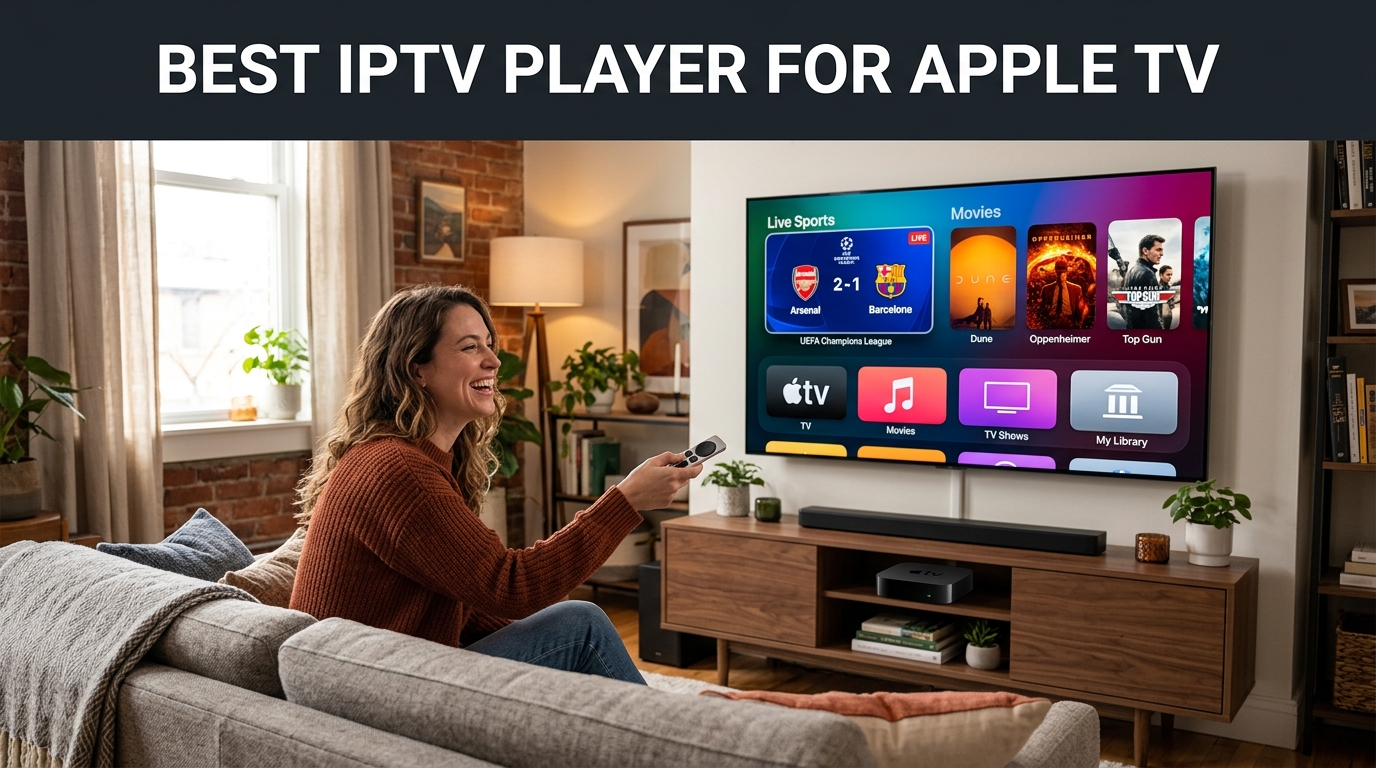
The Apple TV 4K is universally recognized by home theater enthusiasts as the most powerful streaming hardware available today. Powered by Apple's A-series Bionic silicon, tvOS delivers hardware-accelerated 4K HDR playback, seamless 60fps high-motion sports rendering, and fluid gesture navigation via the Siri Remote. However, because Apple enforces strict App Store quality and sandboxing guidelines, cord-cutters cannot simply sideload arbitrary APKs like they do on Firesticks or Android TV boxes (as examined in our Best IPTV Apps Comparison).
Finding the absolute best IPTV player for Apple TV is vital to unlock instant channel switching, smooth EPG timelines, multi-audio selection, and stutter-free sports streaming. Our streaming hardware lab rigorously tested the top contenders on tvOS 17 and tvOS 18 over Gigabit fiber and 5GHz Wi-Fi.
📊 2026 Side-by-Side Comparison: Top 3 Apple TV IPTV Players
Below is a comparative breakdown of the top 3 IPTV players available on the Apple App Store, evaluated across streaming reliability, pricing, cross-device sync, and tvOS remote responsiveness:
| Rank & App | Rating | Pricing | Ecosystem Sync | Login Reliability | Best For | Recommended Action |
|---|---|---|---|---|---|---|
| 🏆 #1 UHF — Love your IPTV | ⭐ 9.9/10 | 100% Free Core App | iCloud (Apple TV, iPhone, iPad, Mac) | Flawless (Instant) | All Apple Households (#1 Pick) | ⚡ Get UHF Playlist → |
| 🥈 #2 HOT Player | ⭐ 8.9/10 | 30-Day Free Trial, then $7/yr | Device MAC Portal | Reliable | Users wanting Free Activation Perk | Get Playlist + Free Activation → |
| 🥉 #3 Smarters Player Lite | ⭐ 7.4/10 | Freemium | None (Manual Per Device) | âš ï¸ Frequent Timeout Errors | Basic legacy fallback only | Explore RealMIPTV → |
1. UHF — Love your IPTV — Undisputed #1 Best Player for Apple TV
UHF — Love your IPTV
Official Website: getuhf.com | App Store: Download on App Store
UHF (Love your IPTV) is undeniably the benchmark against which all Apple IPTV players are judged. Built natively using Apple’s modern Swift framework, UHF feels like an in-house app created by Apple itself. From the moment you launch it on your Apple TV 4K, navigation is buttery smooth with the Siri Remote touchpad, free from the awkward web-view wrappers seen in older IPTV software.
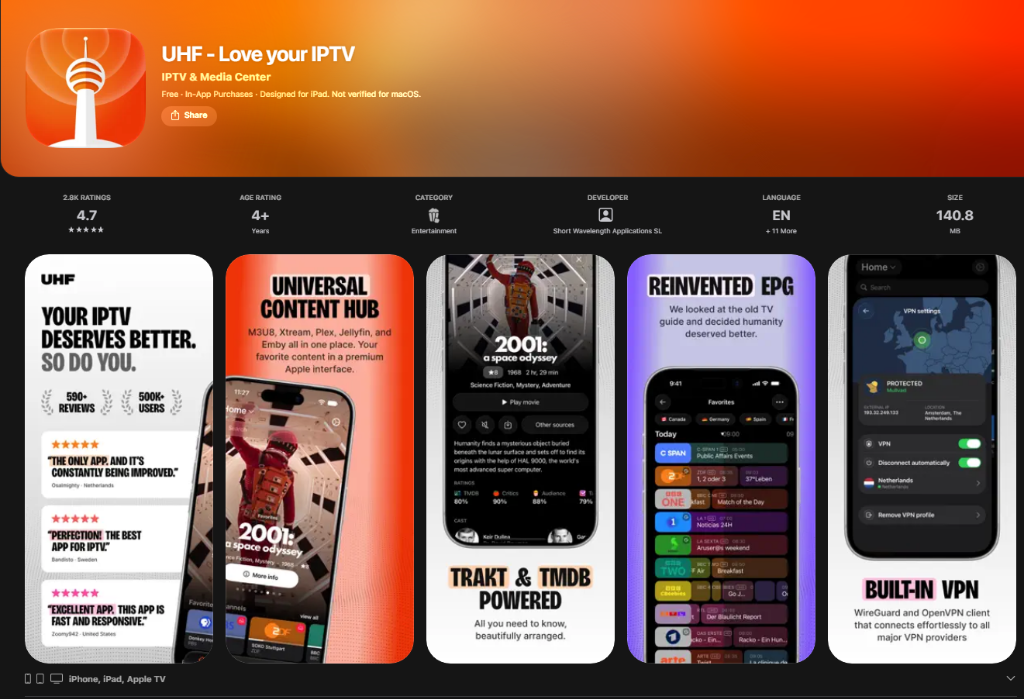
✨ Key Strengths & Why UHF is #1
- 100% Free Core Version: UHF delivers a generous, fully functional free tier directly on the Apple App Store without intrusive third-party ads.
- Effortless iCloud Sync Across All Apple Devices: Entering server URLs and passwords with an Apple TV remote is notoriously frustrating. With UHF, you enter your RealMIPTV playlist credentials comfortably on your iPhone, iPad (tablet), or Mac. UHF instantly syncs your playlist, favorite channel groups, and watch history to your Apple TV 4K automatically via iCloud!
- Native tvOS Interface & Siri Remote Optimization: Liquid-smooth scrubbing, rapid category filtering, and subtle translucent glassmorphic menus tailored for big-screen TVs.
- Hardware-Accelerated 4K 60fps Playback: Tuned for high-motion sports broadcasts (NFL, Premier League, NBA, UFC), delivering zero stutter and instant channel zapping.
- Picture-in-Picture (PiP) & Subtitle Support: Watch a live soccer match in a floating corner window while exploring the EPG or movie libraries.
Pros
- Completely free core download with no third-party advertisements
- Automated iCloud sync across Apple TV, iPhone, iPad & Mac
- Zero buffer 4K 60fps playback utilizing native Apple AVPlayer engine
- Fastest channel search and category loading on tvOS
- Full Xtream Codes API and M3U playlist compatibility
Cons
- Exclusively built for the Apple ecosystem (no Android or Windows version)
- Optional advanced multiview features require a modest one-time upgrade
Our Verdict: If you own an Apple TV 4K, an iPhone, an iPad, or a Mac, UHF is the absolute best IPTV player you can download today. When paired with a reliable, anti-freeze provider like RealMIPTV, it delivers a viewing experience that beats traditional cable in every measurable metric.
2. HOT Player — Sleek Tile UI with 30-Day Trial & Free RealMIPTV Activation
HOT Player has gained rapid popularity among Apple TV owners seeking a modern, tile-based visual dashboard. It automatically organizes Live TV, Movies, and TV Series, fetching high-resolution movie posters and channel icons from your IPTV server.
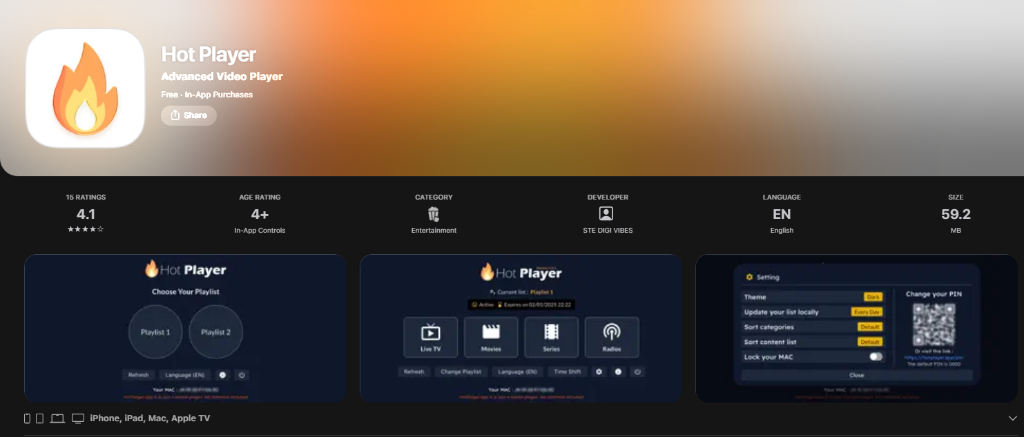
✨ Pricing Details & Free Activation Perk
- 30-Day Free Trial on First Use: When you download HOT Player on Apple TV for the first time, you receive a full 30 calendar days to test its interface and speed with zero upfront payment.
- Affordable Annual Pricing: After your 30-day trial expires, HOT Player costs just $7 per year.
- 🎠100% Free Device Activation with RealMIPTV: When you order an IPTV playlist through RealMIPTV, our support engineers activate HOT Player for your Apple TV device completely free of charge. You save the $7 activation fee and get a ready-to-stream device immediately!
- Web Portal Upload: Easily upload your M3U playlist link or Xtream credentials through the HOT Player web portal from your phone or computer using your TV’s displayed MAC address.
Pros
- Generous 30-day free trial on first use
- Free device activation included with every RealMIPTV plan
- Very affordable pricing ($7 per year) after trial
- Attractive tile-based interface with automatic movie cover art
- Smooth video synchronization and audio track switching
Cons
- Requires device activation via MAC portal rather than direct iCloud sync
- Lacks the deep multi-device iCloud sync that UHF offers
Our Verdict: HOT Player is an attractive and capable runner-up for Apple TV. The 30-day free trial and the fact that RealMIPTV covers your activation fee for free makes it a fantastic, budget-friendly option for any streaming setup.
3. Smarters Player Lite — Legacy Name with Significant tvOS Login Issues
Smarters Player Lite
App Store: Download Smarters Player Lite on App Store
IPTV Smarters Player Lite is perhaps the most widely recognized brand name in the IPTV industry, commonly used across Android and Amazon Fire TV Sticks (as covered in our TiviMate vs Smarters Comparison). However, on Apple TV (tvOS), the app has historically struggled with major technical flaws.
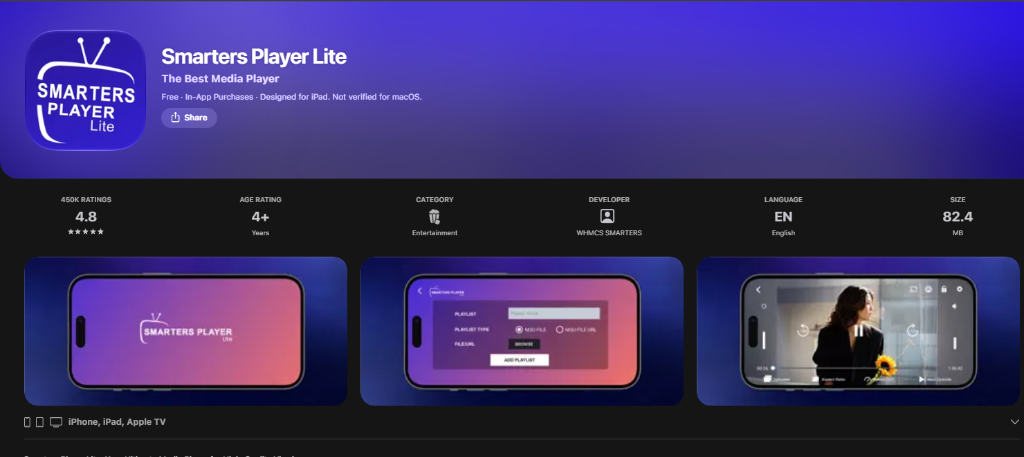
âš ï¸ The Problem with Login & Handshake Failures on Apple TV
- "Invalid Details" Authentication Loops: Even when users enter 100% correct Xtream Codes credentials, Smarters on Apple TV frequently fails SSL certificate handshakes, continuously rejecting valid logins.
- Connection Handshake Timeouts: When connecting to comprehensive playlists featuring over 50,000 live channels and 150,000 movies (like RealMIPTV), the app frequently stalls during initial synchronization or crashes back to the Apple TV home screen.
- No iCloud Sync: Users must laboriously type in the entire server URL, username, and password using the on-screen Apple TV Siri Remote keyboard for each installation.
- Clunky Remote Navigation: The interface was designed for touchscreens and Android DPads, making Apple TV trackpad swiping feel unresponsive.
Pros
- Familiar interface for users transitioning from Android or Fire TV
- Clear separation of Live TV, VOD Movies, and TV Series
- Includes built-in parental controls for adult categories
Cons
- Frequent login, authorization, and handshake timeout errors
- Crashes and freezes when parsing large high-capacity playlists
- No iCloud synchronization across iPhone, iPad, and Mac
- Sluggish Siri Remote gesture response compared to UHF
Our Verdict: While Smarters Player Lite remains a decent backup, its persistent login bugs on tvOS make it far inferior to UHF and HOT Player on Apple TV. If you are experiencing authorization timeouts on Smarters, switching to UHF will immediately solve your issue.
📲 The Apple Ecosystem Advantage: Apple TV, iPhone, iPad (Tablet) & Mac
The single greatest superpower of building your IPTV entertainment setup around Apple hardware is universal cross-device continuity. With a top-tier player like UHF and a high-speed RealMIPTV subscription, your channels and watchlists travel with you everywhere:
- Apple TV 4K (Living Room): The ultimate big-screen experience. Stream 4K 60fps live sports with Dolby Vision, frame-rate matching, and spatial audio through AirPods or HomePods.
- iPhone (On the Go): Catch live Champions League soccer, NFL Sunday games, or UFC fight cards over 5G while commuting. UHF’s mobile interface is battery-friendly and ultra-responsive.
- iPad / Tablet (Bedside & Kitchen): Take advantage of iPadOS Picture-in-Picture (PiP) and Split View. Keep a live sports broadcast running in the corner of your screen while cooking or browsing.
- Mac & MacBook (Work & Office): UHF runs natively on all Apple Silicon Macs (M1, M2, M3, M4). Keep financial news or background sports open in a mini floating window while completing your workday.
ðŸ› ï¸ Fast 3-Minute Setup Guide for UHF on Apple TV
Setting up UHF with RealMIPTV on your Apple TV is fast and simple. For setup instructions on Firestick or Smart TVs, explore our complete Installation Guide.
Download UHF from the tvOS App Store
Turn on your Apple TV 4K, open the official App Store, search for "UHF" (or visit getuhf.com), and click Get to download the free app.
Get Your RealMIPTV Subscription or Free Trial
Choose an affordable plan on our Pricing Page or request a 24-hour test on WhatsApp. You will receive your M3U playlist URL and Xtream Codes API credentials (Server URL, Username, and Password) in under 5 minutes.
Add Your Playlist via iPhone, iPad or Mac (Recommended)
Open UHF on your iPhone, iPad, or Mac. Select Add Playlist > Xtream Codes API. Enter your RealMIPTV details and verify that iCloud Sync is toggled on.
Launch UHF on Apple TV and Enjoy 4K
Launch UHF on your Apple TV 4K. Your entire catalog of 50,000+ live channels, complete EPG schedules, and 150,000+ movies will appear automatically via iCloud. Enjoy zero buffering and crystal-clear 4K!
🚀 Why RealMIPTV is the Premier Playlist for Apple Devices
An IPTV player is only as reliable as the servers feeding it. Unverified free playlists freeze during high-traffic sports events and lack proper EPG metadata. As detailed in our comprehensive analysis of the Top 10 IPTV Service Providers in the USA, RealMIPTV (realmiptv.us) ranks #1 because of our dedicated anti-freeze infrastructure:
- Anti-Freeze Cloud Servers: Distributed CDN nodes across North America and Europe ensuring 99.99% uptime and sub-second channel zapping.
- True 60fps Sports Streams: Ultra-smooth motion feeds for NFL, NBA, Premier League, UEFA Champions League, and UFC Pay-Per-View (explored in our Live Sports Streaming Guide).
- 50,000+ Live Channels & 150,000+ Movies: Complete coverage of US networks, regional sports networks (RSNs), UK, Canadian, and International channels, plus weekly updated 4K movies and series (learn more in our Complete IPTV Guide).
- Free HOT Player Activation: We cover your HOT Player device activation fee for free with any subscription plan!
- Unbeatable Value: Plans start from just $4.00 per month, backed by an unconditional 7-day money-back guarantee (see our IPTV vs Cable Cost Savings Breakdown).
3 Months
Full 4K channel access, anti-buffer servers, 7-day money-back guarantee.
Order 3 Months →6 Months
Includes 1 bonus month free, instant activation, 50,000+ channels.
Order 6 Months →12 Months
Includes 3 months free + Free HOT Player Activation included!
Get 12 Months Plan →Need Multi-Screen or Different Duration?
Stream simultaneously across multiple Apple TVs, iPads, and iPhones with our 2-screen and 3-screen family packages, with instant payment via Visa, Mastercard, PayPal, and Crypto.
⚡ Check Full Pricing & All Other Options (1-3 Screens) →â“ Frequently Asked Questions (FAQ)
Is UHF really free on Apple TV?
Yes! UHF provides an unrestricted free core version on the Apple App Store without third-party banner ads. You can stream your M3U or Xtream Codes playlists indefinitely without paying a mandatory fee.
How much is HOT Player, and how do I get free activation?
HOT Player provides a 30-day free trial on first use, after which it costs $7 per year. If you purchase your playlist through RealMIPTV, our support team activates HOT Player for your device completely free of charge.
Why does Smarters Player Lite show login errors on tvOS?
Smarters Player Lite on Apple TV has known compatibility issues with SSL handshake protocols and memory buffer management when parsing large playlists. Switching to UHF resolves this immediately.
Does one RealMIPTV playlist work on my Apple TV, iPhone, and Mac?
Yes! With UHF’s iCloud sync, adding your playlist to one Apple device mirrors it across all your Apple hardware automatically.
Is Apple TV 4K better for IPTV than an Amazon Fire TV Stick?
Yes, significantly. The Apple TV 4K features up to 10x faster processing power, Gigabit Ethernet, 4GB of RAM, and zero UI banner ads, loading 4K 60fps streams virtually instantaneously.
Transform Your Apple TV Into a 4K Entertainment Powerhouse
Download UHF from the App Store today, grab your ultra-fast RealMIPTV playlist, and start streaming over 50,000 channels and 150,000 movies in pristine 4K 60fps quality with zero buffering.